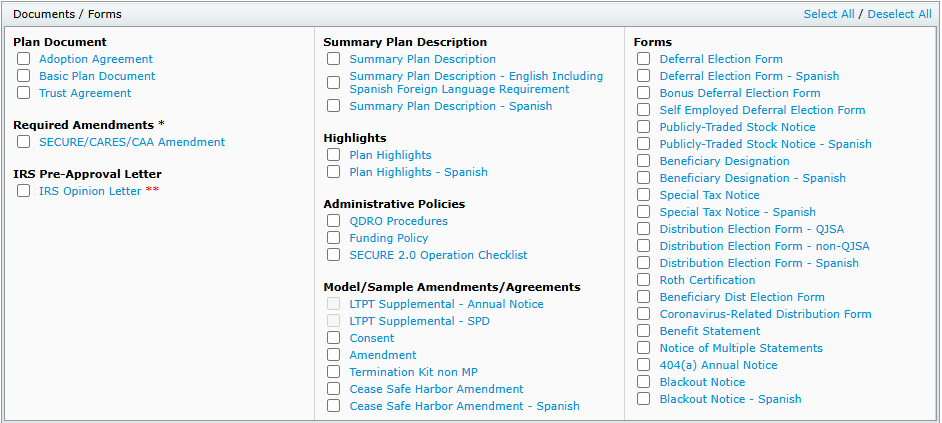
To print the Joinder Agreement and any supporting forms/notices for your Adopting Employer(s), go to the print Plan Document page of your Adopting Employer.
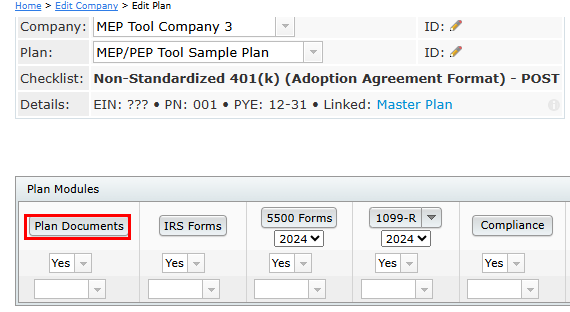
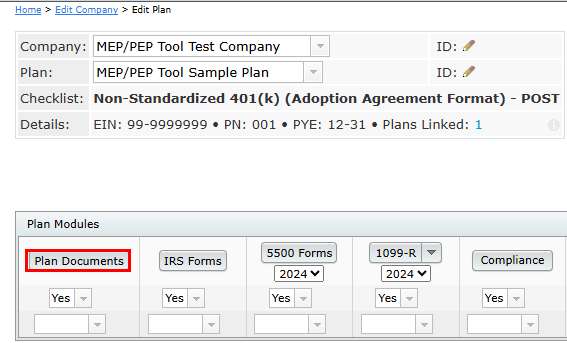
1. From the Edit Plan page, click on the "Plan Documents" button.
2. Select the Joinder Agreement and any supporting forms/notices that apply to the provisions of your Adopting Employer.
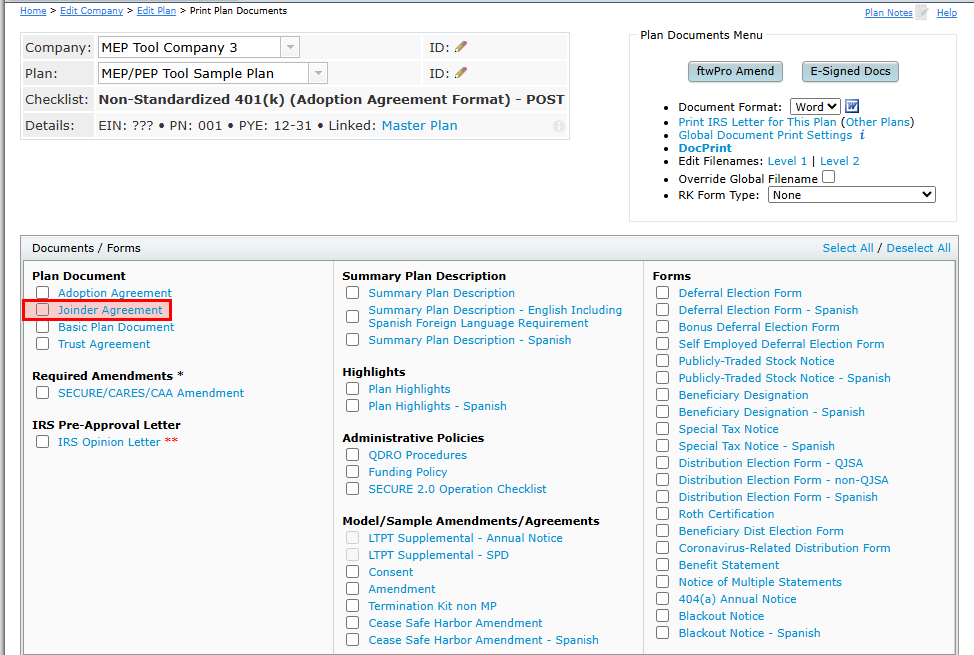
The Joinder Agreement document includes two Consent documents (if required by the companies). One for the Master Plan Sponsor, and one for the Adopting Employer to sign. Only the Adopting Employer is required to sign the Joinder Agreement page.
If using the adoption agreement format document/checklist, the Joinder Agreement will have an Addendum of the options applicable to the Adopting Employer.

If using the individually designed format document/checklist, there will not be an Addendum to the Joinder Agreement. To detail the parameters that are different than the Master Plan, you will want to update Section J.26 in the document checklist of your Adopting Employer.

Text entered here will populate in the Joinder Agreement as follows:
AGREED FURTHER, that, if applicable the following provisions will apply to the Adopting Employers in lieu of the provisions contained in the Adoption Agreement: [text from J.26].
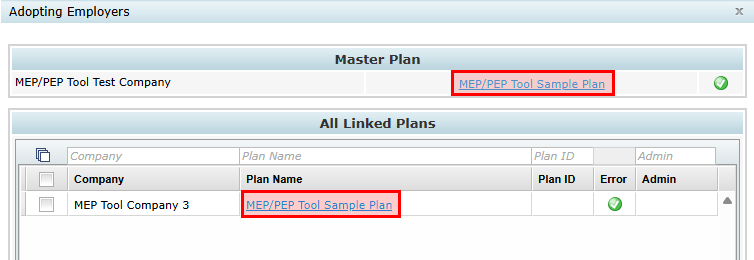
To navigate back to the Master Plan or to a different Adopting Employer, click on the "Master Plan" link at the top in the "Details" row.
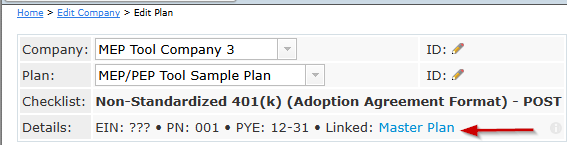
Click on the plan under "Master Plan" to be directed back to the Master Plan's Edit Plan page. Click on the plan name under "All Linked Plans" to be directed to that Adopting Employer's Edit Plan page.
To print documents for your Master Plan, go to the print Plan Document page of your Master Plan.
1. From the Edit Plan page, click on the "Plan Documents" button.
2. Select the Plan Documents and any supporting forms/notices that you normally provide to your Plan Sponsor.