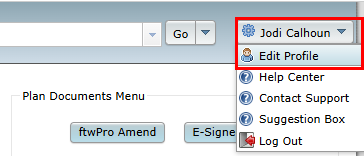
To filter your search on the Home page by Master and/or Adopting Employer plans, click on your name in the upper right corner and select "Edit Profile".
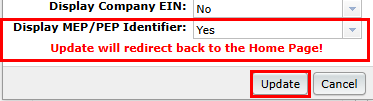
Set "Display MEP/PEP Identifier" to "Yes" and click on the "Update" button.
On the Home page, you can now do an advanced filter by clicking on the "Advanced" button.

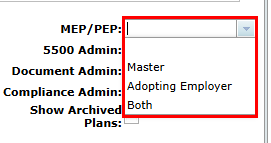
Next to "MEP/PEP" you can choose how to filter your search.